Using AI in Obsidian Without Giving Up Control
I have around 3 000 notes in my Obsidian vault.
All written by hand. All part of my personal second brain. So when people started wiring AI into Obsidian, my first reaction was not excitement. It was: Cool, but how do I make sure it does not mangle years of notes?
That was the real blocker for me.
I did not want an AI agent freely editing my workspace. I wanted help, but I also wanted control. Every change had to be visible. Every run had to be isolated. And, ideally, nothing should happen without me being able to review what changed.
The help I wanted was mostly for two very specific problems:
- turning read-it-later highlights into rough first notes instead of letting them pile up
- finding missing links between notes I had written at different times
So I built a small personal system around Obsidian Sync, snapshots, and the OpenCode API.
Concretely, it is a small TypeScript web app with a SQLite database, a scheduler, a runner that processes one job at a time, and a run detail page where I can inspect logs and file diffs. It is not a big product. It is mostly a queue around OpenCode, with enough UI to see what happened.
This is not really a how-to. It is more a field report on how I ended up using AI with my Obsidian workspace in a way that still feels like mine.
The problem: AI is useful, but my vault is not disposable
I have seen plenty of Obsidian + AI workflows.
Summarize notes. Generate links. Clean up messy drafts. Turn highlights into polished notes. All of that sounds useful.
But my hesitation was simple: I did not want AI to taint the craft I had already put into the vault.
This is not a random folder of markdown files. It is my personal workspace. My second brain. There are rough notes, finished notes, half-formed ideas, highlights, links, and a lot of context that only makes sense because I wrote it.
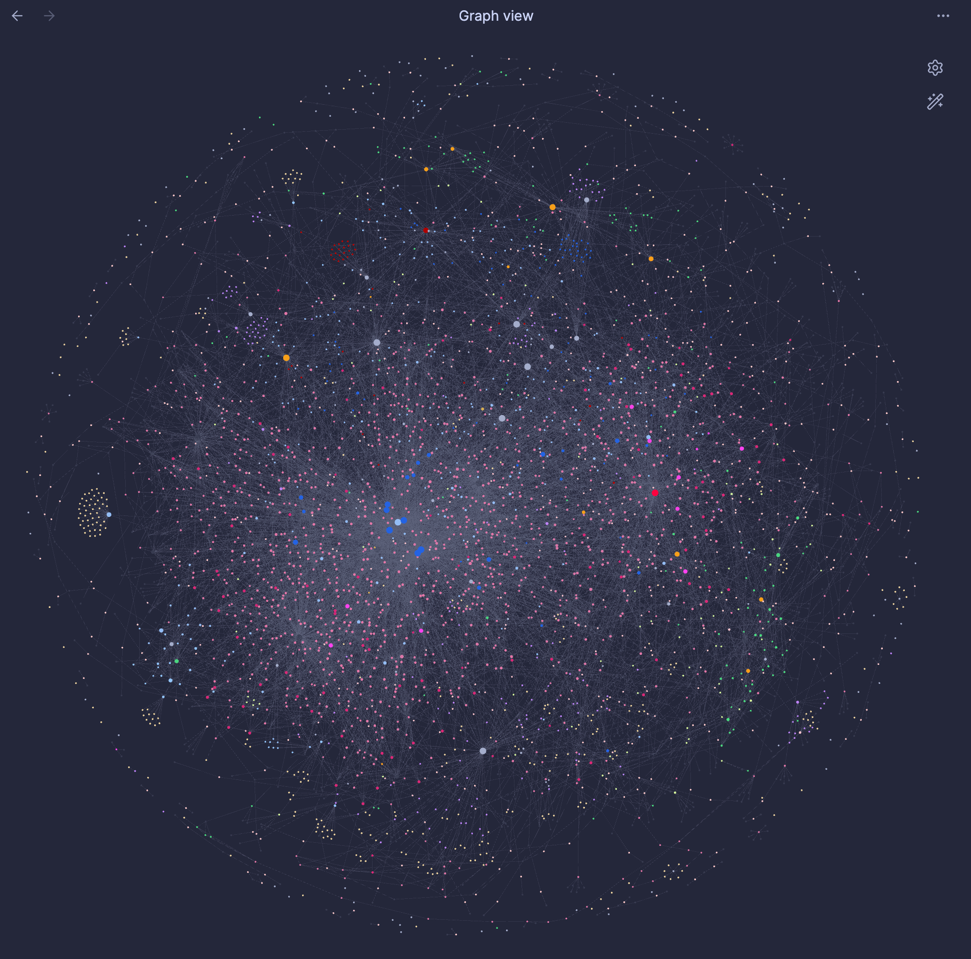
For context, here is a picture of my vault, where every dot is a single note. The bigger the dot, the more connections it has:
So the question was not:
Can AI edit my Obsidian vault?
The question was:
Can AI help me while I still keep ownership of every change?
That changes the architecture quite a bit.
The first idea: just use Git
I already use Obsidian Sync as my day-to-day sync layer, and Git as a backup/history layer for the vault.
So my first thought for AI review was Git / GitHub.
It sounds obvious, right?
- Put the vault in Git
- Let AI make changes on a branch
- Review the diff
- Merge what I like
- Reject what I do not like
In theory, this gives me exactly what I want: change control.
But in practice, I did not want my personal note-taking workflow to turn into pull request management.
I would have to deal with:
- conflicts
- merges
- branches
- review flow
- local sync behavior
- whatever happens when Obsidian and Git both touch the same files
- AI doing the same work multiple times in separate PRs
- And given I would have to manually merge changes, it could pile up fast
For code, that is fine. For my personal knowledge base, it felt too tedious.
I wanted something lighter. More like run a task, inspect what changed, keep control without turning my notes into a software repo workflow.
The approach: a headless Obsidian sync worker
The turning point was the new Obsidian headless sync CLI.
The CLI can set up synchronization for a vault on a headless server. That opened up a much cleaner path for me: instead of running AI directly on my daily Obsidian workspace, I could run it through a controlled server-side process.
So I built a small personal tool around that idea.
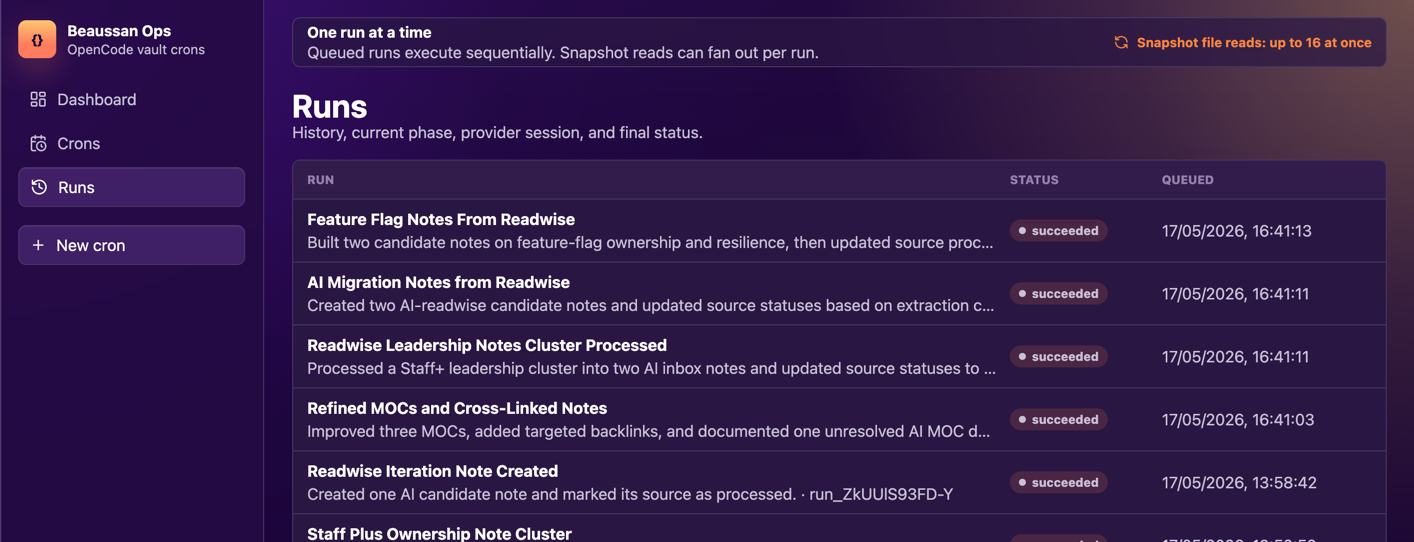
The system has jobs that can run on a timer, but I can also trigger them manually. Each job stores the prompt and the run history. The important part is that only one thing runs against the vault at a time.
The rough flow looks like this:
- Sync the vault
- Take a snapshot of the files before the AI runs
- Run the AI task
- Take a snapshot of the files after the AI runs
- Record the file changes
- Sync again to push the changes
That gives me a simple change-management layer around every AI run. Not Git PRs. Not a complex review system. Just snapshots before and after the run, with sync boundaries around the work.
And because only one job is allowed to run at once, I avoid the obvious two agents edited the same markdown file at the same time problem.
That shape made the whole thing feel safer. The agent is not just roaming around my live workspace. It is operating inside a run that can be inspected.
A concrete run
The setup is deeply personal. It sits behind SSO, in my internal network, and is treated as something private. That matters because this is not a toy dataset. It is my actual Obsidian vault.
The AI side runs through the OpenCode API. Here is what happens when I trigger a run from the web UI.
Say I have a job called something like turn inbox highlights into rough notes. I can run it manually or let it run on a schedule. The prompt asks the agent to look at my read-it-later inbox, create rough first notes where useful, and avoid turning them into polished evergreen notes.
The runner does the safety work around that prompt: sync first, snapshot the tracked files, run OpenCode, snapshot again, diff the two snapshots, then sync the result back.
The OpenCode part is intentionally boring. The worker creates sessions inside the vault directory, uses one of them to run shell commands, uses another one for the actual prompt, and stores the session ID so I can trace the run later.
For sync, I do not call a local shell process directly from the app. I ask OpenCode to run the headless sync command from the same remote working directory as the vault. That keeps the sync step inside the same logged, inspectable execution path as the AI task:
const session = await client.session.create({  directory: vaultPath,  title: `Obsidian sync ${phase} ${runId}`,});
// Refresh the Obsidian vaultawait client.session.shell({  sessionID: session.id,  directory: vaultPath,  agent: 'build',  command: 'ob sync',});
// Do this recursively to find all folders and files, here only once for simplicityconst folders = await client.file.list({  directory: vaultPath,  path: vaultPath})
// then for each file, read its contentconst snapshotBefore = await client.file.read({  directory: vaultPath,  path: "some-note.md",});
That gives me a normal OpenCode session for the sync step too. The run logs can keep the session ID, the command output, and whether this was the sync before or after the AI step.
Then the actual AI task gets a separate OpenCode session:
const session = await client.session.create({  directory: vaultPath,  title: `Obsidian run ${runId}`,});
const result = await client.session.prompt({  sessionID: session.id,  directory: vaultPath,  parts: [{ type: "text", text: prompt }],});
There is nothing magical there, and that is the point. OpenCode is not secretly managing my vault. It is receiving one prompt in one directory, inside a run that I created and can inspect.
After that, I reuse the same session for a small recap request. This is not allowed to edit files or run tools. It only turns the completed run into UI metadata:
const response = await client.session.prompt({ sessionID: session.id, directory: vaultPath, system: "You write compact UI metadata as valid JSON only. You never perform tool calls for recap requests.", tools: {}, parts: [{ type: "text", text: recapPrompt }], format: { type: "json_schema", schema: z .object({ recap: z.string().max(200), title: z.string().max(30) }) .toJSONSchema(), },});For example, I want to know whether a run was about converting highlights into notes, finding links between files, or doing something else entirely.
After the prompt finishes, the review page shows the timeline, logs, changed files, and a diff. A successful run might end up with a recap like Created rough notes from inbox highlights, a list of eight created markdown files, three modified notes with backlinks, and zero deletions. I can open the diff and read the exact before and after text before deciding whether I am happy with the result.
The two AI jobs that are actually useful
I am not trying to automate my entire vault.
The two use cases that have been useful so far are pretty focused.
1. Turning read-it-later inputs into raw first notes
I have a backlog of highlights and read-it-later inputs.
That backlog is always the kind of thing that feels valuable but also a bit stuck. There is friction between I highlighted this because it mattered and this is now part of my notes.
AI helps with that first transformation.
Not into perfect evergreen notes. Not into some final polished knowledge artifact. Just raw first notes.
That distinction matters.
I still want to refine them. I still want the final shape to be mine. But AI helps me get through the backlog and turn passive inputs into something I can work with.
2. Finding missing links between notes
The second useful job is finding links between files that I had not connected yet.
Sometimes one note is new. Sometimes an older note is related, but I never linked it. Sometimes the connection is obvious in hindsight but easy to miss while writing.
This is a good fit for AI because it can scan across the workspace and suggest relationships.
Again, I do not want it to take ownership of the graph. But as a helper for discovering possible links, it has been genuinely useful.
The safety model: snapshots, sync, and one job at a time
The part that makes this usable for me is not the AI itself.
It is the control around it.
The safety model is boring, and that is why I like it. This means I can look at what changed and reason about it.
The snapshot itself is deliberately simple. The worker lists the vault through OpenCode, keeps only the paths I care about, reads text files under a size limit, and skips things like Obsidian config, trash, binary files, and huge files.
Then it does the same thing after the AI run.
The diff between those two snapshots becomes the review surface: created files, modified files, deleted files, and the actual before/after text. It is not Git, but it gives me the part of Git I wanted most: visibility.
Each run also gets a small audit trail: the prompt that was run, the OpenCode session ID, the current phase, logs from each step, the list of changed files, and a short generated recap. The recap is only there to make the history readable. The source of truth is still the file diff.
A typical run might create a handful of rough notes from read-it-later highlights, modify a few existing notes to add backlinks, and leave me with a review screen that says something like: 8 files created, 3 files modified, 0 files deleted. That is the level of feedback I need before I trust the output.
It also means I am not trusting an agent to operate directly inside the live workspace without boundaries.
Could this be more sophisticated? Sure.
But for a personal system, this is the level of structure that made me comfortable enough to actually use it.
The result
The surprising part is that this made AI feel usable for my Obsidian workspace. Not because the model is perfect. Not because I suddenly want AI rewriting my second brain. But because the workflow gives me enough control.
I can use AI for the parts where it helps:
- clearing a backlog of highlights
- turning inputs into rough first notes
- finding missing links between files
And I can do it without feeling like I handed over ownership of the vault. That was the line for me.
The practical lesson
If you are skeptical about using AI on a personal knowledge base, I think that skepticism is healthy.
The answer is not necessarily just let an agent edit everything.
For me, the useful pattern was to build a controlled lane:
- one job at a time
- sync boundaries
- snapshots before and after
- metadata for every run and an audit trail
- manual ownership over the final result
AI can be helpful in Obsidian. But I still want the vault to be mine.
That constraint shaped the whole system, and honestly, that is what made it work.
The useful version of AI in my vault was not the most autonomous one. It was the one boxed inside a transaction I could inspect.